

In the ever-changing landscape of business communications, it’s important to stay ahead of the curve. The advent of AI-powered writing tools has revolutionized the way businesses interact with their customers. Among these innovative solutions, ChatGPT Writer, a powerful language model powered by OpenAI, stands out as a game changer for creating personalized and compelling emails and messages. In this article, we’ll walk you through the process of setting up and optimizing ChatGPT Writer to improve your business communications.
Step 1: Installing the ChatGPT Writer Chrome Extension
First, navigate to the Chrome Web Store and search for “ChatGPT Writer” or visit the official OpenAI website to find the extension. Click Add to Chrome and follow the installation instructions.

click on the ChatGPT Writer link as shown below.

Now, click on the “Add to Chrome” button. If your browser is not Chrome you will see an “Available on Chrome” buitton instead of the “Add to Chrome” button and clicking this button will redirect you to the Chrome browser download link where you can download Chrome before continuing. ChatGPT Writer is a Chrome extension, right?

Step 2: Creating Your ChatGPT Writer Account
Once the extension is installed, open a new tab in your browser and click on the ChatGPT Writer icon. You will be prompted to create an account or sign in if you already have one. Setting up your account is quick and easy. Just follow the on-screen instructions.
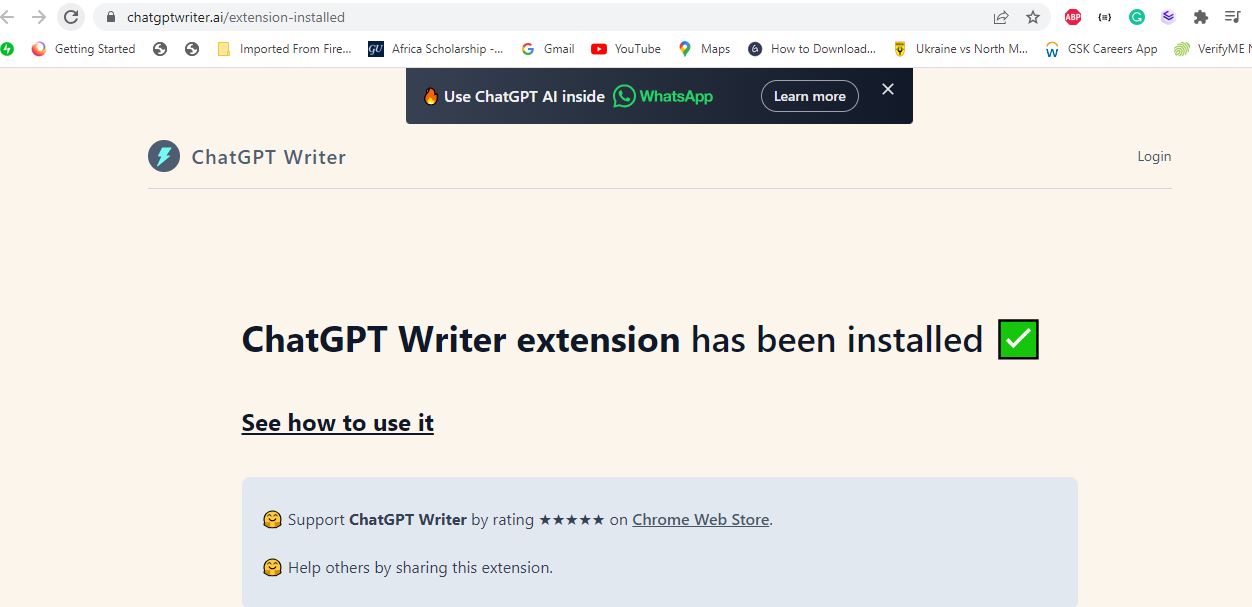
Congratulations, you have installed ChatGPT Writer and ready to boost productivity. Now go right ahead to create an account or login in using your Google account. After a successful account creation and login, you should see the screen below.

Step 3: Familiarizing Yourself with ChatGPT Writer Interface
After logging in, take a moment to explore the ChatGPT Writer interface. In the text field you compose your messages and on the right side you will find the suggestions generated by the AI as you type. The options panel allows you to customize the tone and style of your message to suit your specific communication needs.
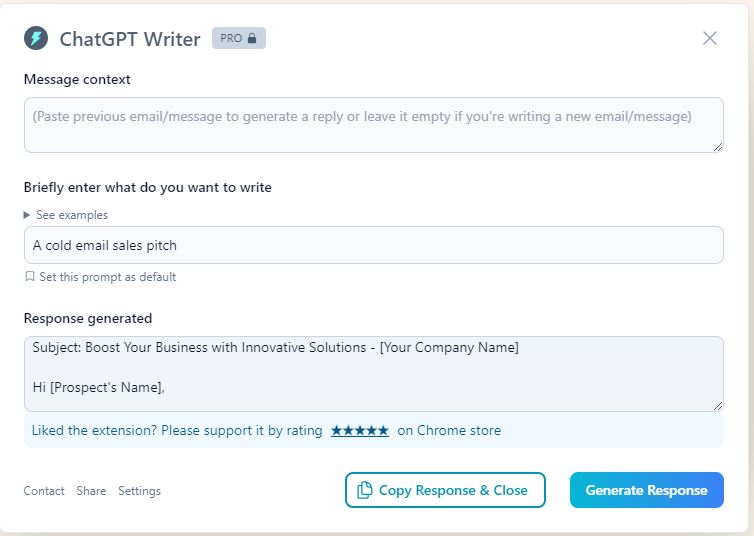
To exploit the full functionality of ChatGPT Writer, upgrade to the Pro License at ant $14/month, and cancel anytime should you be dissatisfied or your need cahnges.
Step 4: Defining Your Business Communication Goals
Before delving into how to use ChatGPT Writer, it is important to define your business communication goals. Whether your goal is to increase sales, provide top-notch customer support, or build customer relationships, clear goals will help you tailor your messaging for optimal effectiveness.
Step 5: Crafting Your First Message
Now it’s time to get ChatGPT Writer up and running. First enter your message in the text field. As you compose, pay attention to the AI-generated suggestions on the right. These suggestions can serve as great starting points or add valuable insights to your message.
Step 6: Personalizing Your Messages
Personalization is key to building strong customer relationships. Leverage ChatGPT Writers’ ability to analyze context and tone to tailor your messages to individual recipients. Include their names, reference past interactions, and offer personalized solutions to their needs.
Step 7: Optimizing for Clarity and Conciseness
Clear and concise communication is crucial in business life. As ChatGPT Writer suggests different ways to phrase your message, choose the one that succinctly expresses your intent. Avoid technical jargon or complex expressions that might confuse your audience.
Step 8: Review and Editing
Although ChatGPT Writer generates impressive content, it is always advisable to review and edit your messages before sending them. Make sure the tone fits your brand and that the message accurately reflects your business values.
Step 9: Leveraging A/B Testing
If you use ChatGPT Writer more frequently, you should consider A/B testing to refine your messages. Create variations of your emails or messages and compare their performance in terms of open rates, click rates and replies. This iterative process helps you identify the most effective communication strategies.
Step 10: Ensuring Data Privacy and Security
As with any AI-powered tool, make sure your business and customer data is processed securely. OpenAI takes privacy seriously, but it’s important to familiarize yourself with its privacy policies and policies for protecting sensitive information.
Lastly, using AI-powered tools like ChatGPT Writer can revolutionize your business communications, allowing you to craft personalized, efficient, and impactful messages that resonate with your audience. By following the steps outlined in this article and tweaking your approach over time, you can improve your business communications strategy and build stronger relationships with customers and clients. Harness the power of AI to unlock the full potential of your business communications and take your organization to new heights of success.




 TechRusher
Leave a comment